Bank Statement Converter
Choose a statement PDF and get a table to download as Excel, CSV or OFX. It is read in this tab and never uploaded, and the running balance is checked row by row.
How to convert a bank statement PDF to Excel, CSV or OFX
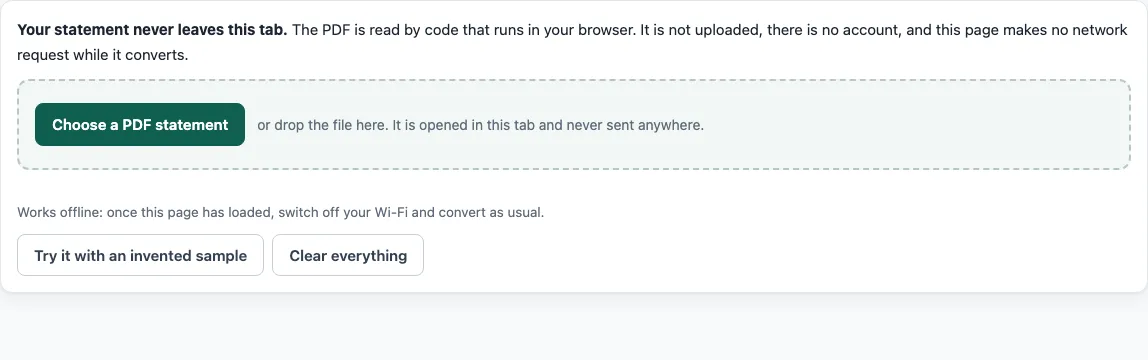
- Click “Choose a PDF statement”, or drop the PDF onto the page. The file can be up to 40 MB and 80 pages. To see the tool first, click “Try it with an invented sample”.
- If the PDF is password-protected, enter the password when the page asks. The file is opened in the tab and the password is not sent anywhere.
- Open the “Options” panel and check the account type, the date order and the amount signs. If the balances only add up with the signs reversed, the tool switches them and tells you.
- If no table header was recognised or the columns are wrong, use “Mark the columns by hand”. Click between the columns to add dividers, then name each one as date, description, amount, debit, credit, balance or ignore.
- Read the balance result. Fix any marked row by editing its cells, joining it to the row above, or removing it.
- Choose a download: “Download Excel (.xlsx)”, “Download CSV”, “Download OFX”, or “Copy for a spreadsheet” to paste the table into a sheet.
Before you use the data, compare the first and last rows with the statement itself. Check every row the page marked. A passing balance check shows the numbers agree with each other, not that every description was read correctly.
What does a bank statement converter do with the PDF?
A bank statement converter finds the transaction table in a statement and turns each row into fields: date, description, amount and balance. StatementPrivate looks for header words such as Date, Description, Amount, Debit or Withdrawals, Credit or Deposits, and Balance, works out which column is which, and reads every row. A description that wraps onto two lines becomes one row. Page headers, footers, “Page 2 of 3” lines, repeated headers and “Total” lines are left out. A date without a year takes its year from the statement period when one is found.
Which formats does it write, and when?
Excel (.xlsx) gets a sheet called “Transactions” with real dates and real numbers, a frozen header row and a filter. Rows that fail the balance check are shaded (this can be switched off). A second sheet, “Reconciliation”, records the opening and closing balance, the number of transactions, the net total and each failed place. CSV is UTF-8, with a comma, semicolon or tab separator, a choice of three date formats, and either one signed Amount column or separate Debit and Credit columns. OFX comes as version 1.0.2 (SGML) or 2.2 (XML). Bank accounts use a bank statement message and cards use a credit card statement message. Use OFX when the program you import into asks for it. QBO is not available yet.
What does the balance check prove, and what can it not do?
If the statement prints a running balance, each printed balance is compared with the previous one plus the rows in between. Rows that agree get a tick. A disagreement is marked on its row with the printed balance, the sum of the rows and the difference. If the statement prints an opening and a closing balance, the tool also checks that opening plus all transactions equals closing. For a card, that means opening owed plus charges minus payments equals closing owed. The result is “Balances add up”, “Balances do not add up: check the marked rows”, or “Nothing to check against yet” when no balance is printed. A pass does not prove every date and description is right, so spot-check the rows.
The tool cannot read a scanned statement, which is a set of page pictures with no text, and it has no OCR in this version. It was tested only with synthetic statements made for testing, in several layouts. A real statement with an unfamiliar layout may need “Mark the columns by hand”.
Frequently asked questions
Is this bank statement converter free?
Yes. The free tier needs no account, has no page limit within 80 pages and 40 MB, and works on one file at a time. Pro is on a waitlist and has no announced price; pricing will be set at launch.
Is my statement uploaded?
No. The PDF is read inside the browser tab with pdf.js, and the page makes no network request while it reads and converts. The page counts the requests it made since you chose the file, and the number should be 0.
Does it work offline?
After the page has loaded, yes. Switch off Wi-Fi and convert again. The pdf.js library is loaded from this site just before the first file is read, so open the page with a connection first.
What if my statement is a scanned PDF?
The tool detects that the PDF has no text and says so instead of guessing. There is no OCR in this version.
What if the columns come out wrong?
Use “Mark the columns by hand”. The page shows the first page’s text laid out by position. Click between columns to add dividers, choose what each column is, and the statement is read again. You can then correct any cell in the table.
Does it support my bank?
No bank-specific support is claimed. The tool was tested with synthetic statements in several layouts, and real statements vary a lot, so the balance check is the way to tell whether a conversion worked. StatementPrivate is not affiliated with any bank or accounting software company.
- Bank statement to Excel - use it when you want an .xlsx file with balance-check shading and a reconciliation sheet.
- PDF bank statement to Excel - use it when your search starts from the PDF file type.
- Bank statement to CSV - use it when your import tool needs comma, semicolon or tab separated text.
- PDF to OFX - use it when accounting or banking software asks for an OFX file.
- Credit card statement to Excel - use it for a card statement, where charges appear as money out.
- How it stays private - read it for the steps to check that no file is sent anywhere.
- Pro waitlist - see what is planned: several files at once, reports, QBO files and saved layouts.